
AI Self-Healing: Tackling Test Flakiness Head-On
Test automation, whether it is code-based or codeless, has become a popular way to increase efficiency and reduce costs in software development. One of the most common applications of test automation is automated regression testing, which is performed to verify that changes or updates to a software application or system have not negatively impacted its existing functionality. It involves rerunning previously passed test cases to ensure that the application is still working as intended after the changes have been made.
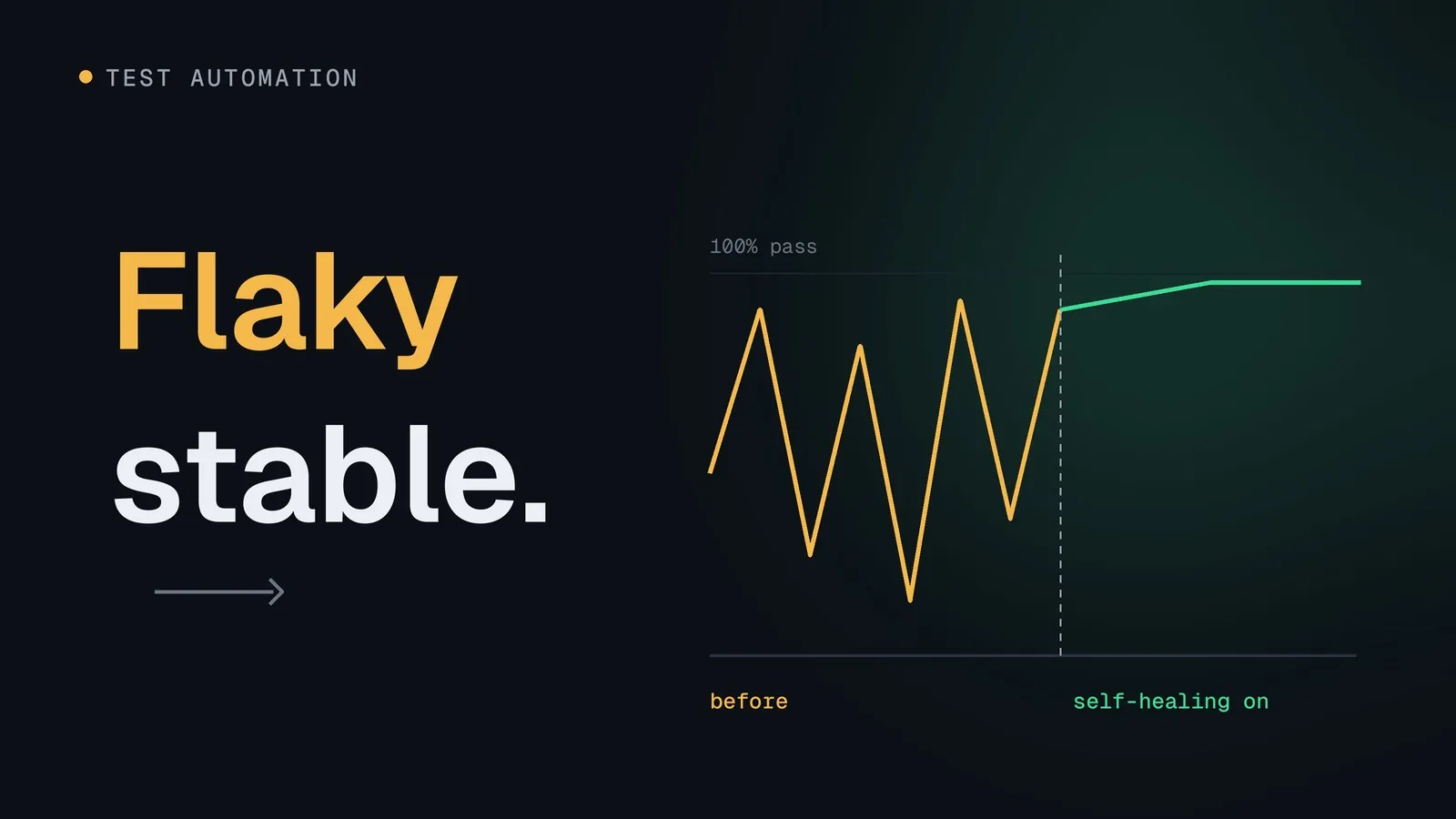
Naturally, as the development cycle never stops, any new version/release of a web or mobile application will carry changes to its Graphical User Interface (GUI) or/and its underlying logic such as the element’s location or identifying properties. Unfortunately, when a new version of the application is released, the previously written automated tests can be rendered inaccurate. This is also known as test flakiness. This means that test cases or scripts maintenance is required to ensure that tests remain up-to-date and accurate, and this additional effort can be costly. This is especially true when testing an application with frequent releases. So, the dilemma of spending time and effort is back again to the front page. Even though codeless automated testing saves up so much time and effort on creating the test scripts, now remains the daunting task of maintaining each test and fixing failing steps after every new release.
What makes the test scripts fail almost after every new release is mainly the flaky locators. Flaky locators refer to elements on a webpage or application that are difficult to locate or interact with consistently due to issues with the way they are identified. This can lead to test failures or unpredictable behavior when trying to perform actions on these elements. If you are not an experienced testing engineer, you might first wonder: What is a locator?
In automated testing, a locator is an element in the user interface (UI) that is used to identify and interact with elements in the application under test. Locators are used by testing frameworks and tools to locate specific UI elements in order to perform actions on them, such as clicking a button or entering text into a field. There are several types of locators that can be used in automated testing, including:
ID: An ID is a unique identifier for a UI element. ID locators are typically the most reliable type of locator, as they are usually unique and do not usually change.
Name: The name of a UI element is the value of its “name” attribute. Name locators are often used for form elements, such as input fields and buttons.
Class: The class of a UI element is the value of its “class” attribute. Class locators can be used to locate multiple elements that share the same class.
Tag name: The tag name of an element is the type of HTML tag that it is, such as “div” or “p”. Tag name locators can be used to locate multiple elements of the same type.
CSS selector: A CSS selector is a string that uses the syntax of the Cascading Style Sheets (CSS) language to select elements in the UI. CSS selectors can be used to locate elements based on their attributes, such as their ID, class, or tag name.
XPath: XPath is a language used to navigate and select elements in an XML document, such as an HTML page. XPath locators can be used to locate elements based on their position in the document hierarchy or their attributes.
Locators are an important part of automated testing, as they are used to identify and interact with specific elements in the UI. However, it is important to choose the right type of locator for the job, as different types of locators have different levels of reliability and may be more or less suitable depending on the context. Whether the page layout, the text within the element, or one of the element’s attributes is updated or deleted, a robust locator must be able to find the element anyway, but when the test fails to locate an element, then the locator is rendered inaccurate and flaky.
Fortunately, there is a way to address these issues when they happen in real-time: Self-Healing. With the advent of Artificial Intelligence (AI), self-healing is becoming a reality. This means that the software can detect when a locator or test is failing and automatically adjust itself to repair the issue. The AI system can be trained to identify and fix/replace flaky locators that fail due to changes in the application under test. In codeless automated testing, the AI self-healing technique requires the system to train a model for generating appropriate locators that uniquely identify each element being interacted with. With a collection of locators and attributes, it becomes easier to find a better and more robust locator to replace the flaky one. This approach can be used to improve the reliability and correctness of automated tests, as it allows them to adapt to the application’s visual or/and logical changes and recover from broken locators without the need for manual intervention.
This technology is already being used in production and has been proven to be extremely effective. The use of AI in self-healing is an exciting development in automation testing. It can free up a lot of resources and time spent troubleshooting and repairing failing tests. It also helps ensure that application development teams are producing the best possible results. But how does self-healing find the right locator to identify the required element?
There are many proposed methods and algorithms for Self-Healing in the test automation field. To name a few, one method uses Genetic Algorithms[1] to find the lost element among all UI elements on the page. Depending on previously collected attributes of every UI element, this method finds all elements from the page that exactly match the lost element in only one attribute (such as ID, Name, Class, … etc). By comparing and doing some calculations on the similarity of the collected elements with the old element’s attributes, the fittest elements are chosen while the rest are deleted in each iteration until the right element is found or a stopping criteria is met. Another algorithm[2] does not only depend on the element’s attributes, but it also takes into consideration the element’s position, text within, and image. When the regression test fails after a new release, the self-healing algorithm first calculates the similarities for each property, between the old element and a candidate, and then integrates them into one similarity. By sorting the candidate elements into ranks, which are based on their similarity score, the highest ranked element is the most likely to be the old element.
Another popular and widely used self-healing algorithm[3] is a modified version of the Longest Common Subsequence algorithm, which takes into account the weight of various attributes such as tag, id, class, value, and others. The purpose of this modification is to identify the longest sub-sequence that is common to all sequences in a set of sequences. With this approach, if an element on the web page changes its position in the DOM or receives a new id, the self-healing algorithm will be able to detect the change and generate a new locator for it.
Overall AI self-healing is a powerful tool for improving the reliability of the testing process by automatically addressing problems as they arise, reducing the risk of errors and improving the overall quality of the testing process. By automating the process of identifying and fixing flaky locators, self-healing algorithms can help to minimize the cost of the testing process and free up human resources to focus on more important tasks.
[1] Eladawy, Hadeel Mohamed, Amr E. Mohamed, and Sameh A. Salem. “A new algorithm for repairing web-locators using optimization techniques.” 2018 13th International Conference on Computer Engineering and Systems (ICCES). IEEE, 2018.
[2] Kirinuki, Hiroyuki, Haruto Tanno, and Katsuyuki Natsukawa. “COLOR: correct locator recommender for broken test scripts using various clues in web application.” 2019 IEEE 26th International Conference on Software Analysis, Evolution and Reengineering (SANER). IEEE, 2019.