
Maximize Your Testing Strategy with TRAILBLU’s Real Mobile Device Farm and Browser Farms
What is a Real Device Farm?
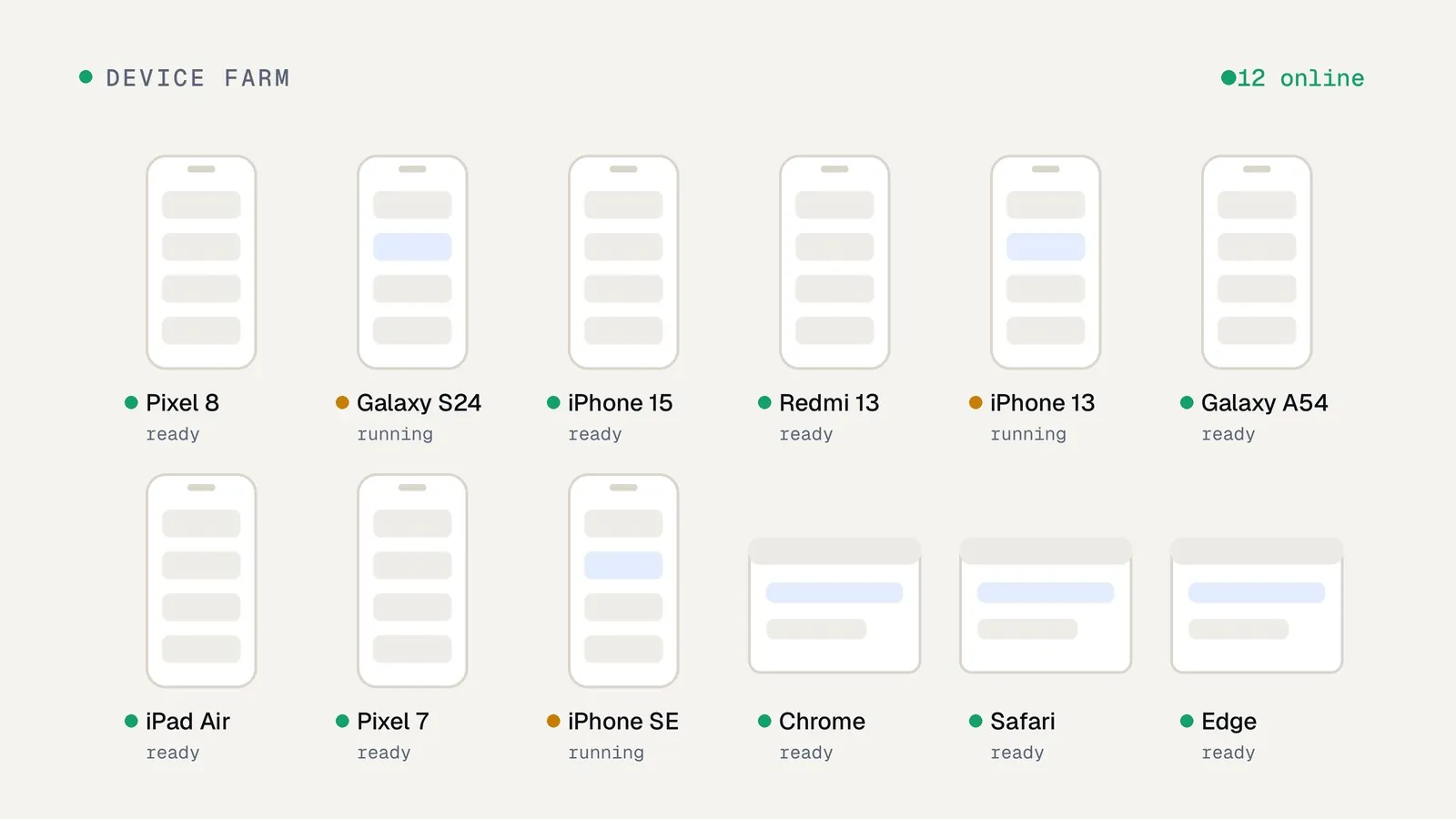
A Device Farm is a cloud-based testing environment that allows developers and testers to run their applications on a wide range of real mobile devices. Unlike emulators or simulators, which mimic device behaviors, a Device Farm provides access to actual hardware, ensuring that testing results reflect real-world user experiences. This approach is crucial for identifying device-specific issues that might not surface during simulated tests, ultimately leading to higher-quality applications.
How Does a Device Farm Work?
TRAILBLU’s Device Farm operates by providing remote access to a vast array of mobile devices, spanning various manufacturers, models, operating systems, and screen sizes. Testers can select the specific devices they want to test on and execute automated tests directly on those devices. The testing environment replicates the conditions that end-users will encounter, allowing for comprehensive testing scenarios that include different network conditions, battery states, and device settings.
Benefits of Using a Device Farm
Real-World Accuracy: Testing on real devices ensures that your application performs as expected across all hardware configurations, reducing the likelihood of unexpected issues post-launch.
Broader Coverage: Gain access to a wide range of devices, including both popular and niche models, ensuring comprehensive testing and higher reliability.
Faster Time-to-Market: By quickly identifying and fixing issues early in the development process, you can accelerate your application’s release cycle without compromising quality.
Cost Efficiency: Accessing a variety of devices through a cloud-based farm eliminates the need for purchasing and maintaining a large inventory of physical devices, reducing overhead costs.
What is a Browser Farm?
A Browser Farm is a testing environment that allows developers and testers to run their web applications across multiple browsers and browser versions. This is essential for ensuring that a web application delivers a consistent user experience regardless of the browser or operating system a user might be using.
How Does a Browser Farm Work?
TRAILBLU’s Browser Farm provides remote access to a diverse range of browsers, including different versions of popular browsers like Chrome, Firefox, Safari, and Edge. Testers can run automated tests across these browsers to identify compatibility issues, visual inconsistencies, or performance bottlenecks. This setup ensures that your web application functions correctly across all browser environments, which is crucial for maintaining a positive user experience.
Benefits of Using a Browser Farm
Cross-Browser Compatibility: Ensure that your web application works seamlessly on all major browsers, reducing the risk of user frustration and abandonment.
Consistent User Experience: A Browser Farm helps maintain a uniform look and feel across different browsers, which is key to user satisfaction and brand trust.
Scalable Testing: As your application evolves, a Browser Farm allows you to scale your testing efforts easily, accommodating new browser versions and updates without disrupting your workflow.
Efficient Issue Resolution: By identifying browser-specific issues early, your team can address potential problems before they impact end-users, leading to smoother deployments and fewer post-launch issues.
Conclusion
TRAILBLU’s Real Device Farm and Browser Farm are essential tools for businesses aiming to deliver high-quality applications that meet user expectations. By leveraging these advanced testing environments, you can ensure that your applications perform optimally across all devices and browsers, enhancing user satisfaction and driving business success.